Using Earn
Deposit into and withdraw from a Blueberry vault, step by step.
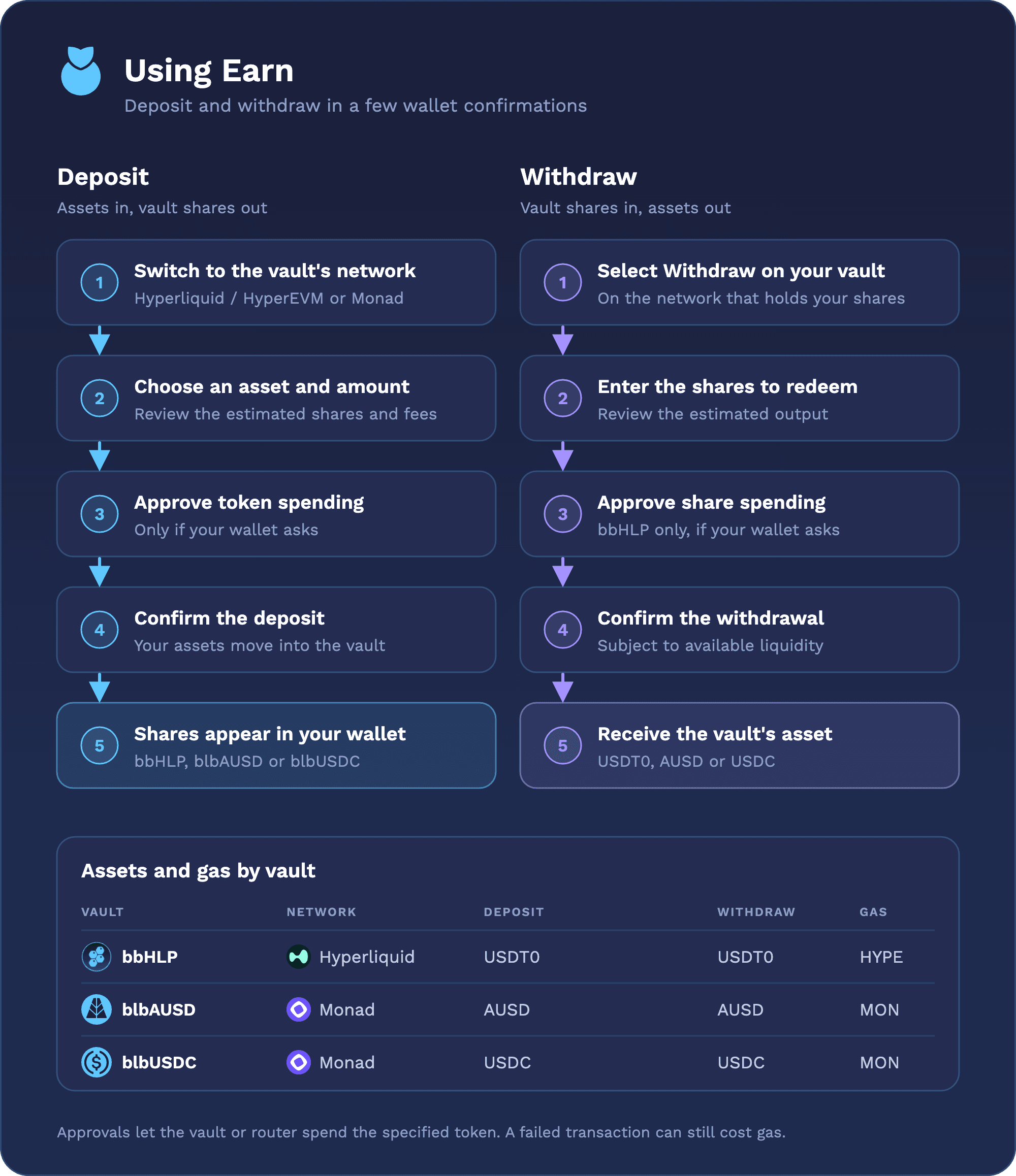
Open Earn, select a vault and connect your wallet. Use Hyperliquid / HyperEVM for bbHLP and Monad for blbAUSD or blbUSDC. Keep HYPE or MON, respectively, for transaction fees.
Deposit
- Switch your wallet to the vault's network and select Deposit.
- Choose a supported asset and enter an amount.
- Review the estimated shares and fees.
- Approve token spending if requested, then confirm the deposit transaction in your wallet.
- After confirmation, your vault shares appear in your wallet.
Approval allows the vault or router to spend the specified token; the deposit transaction moves your assets into the vault and provides you with vault shares.
Withdraw
- Open your vault and select Withdraw.
- Enter the number of shares to redeem and review the estimated output.
- For bbHLP, approve share spending if requested. Then confirm the withdrawal in your wallet.
- After confirmation, check your output-token balance on the same network.
bbHLP's withdrawal asset is USDT0, blbAUSD's is AUSD, and blbUSDC's is USDC. A Max selection uses your share balance; available liquidity may be temporarily lower. Withdrawals that cannot be completed may revert and still cost gas. The vaults currently don't have a withdrawal queue or claim later step.
Shares and yield
Shares represent your pro-rata portion of a vault. Their asset values reflect the Net Asset Value (NAV) of the vault, which reflects profits, losses, and fees. Displayed rates are annualized estimates and can change.
Moving assets between networks
Use Swap to find an available swap or bridge route. Check the destination network, token, expected output and route fees. Once the assets arrive, make a separate deposit through Earn.
If a transaction appears stuck, check its explorer status before submitting another. Closing the page does not cancel a transaction already sent.